
If you’ve ever wondered how to design a website, you’re not alone. Every day, thousands of people search Google for terms like how to create a website, website design for beginners, how to build a professional website, and how to make a business website.
Whether you’re launching a business, starting a blog, creating an online portfolio, or opening an eCommerce store, having a well-designed website is one of the smartest investments you can make.
In this complete guide, you’ll learn everything you need to know about website design, from planning your site to launching it successfully.
Table of Contents
- What Is Website Design?
- Why Website Design Matters
- Step 1: Define Your Website Goals
- Step 2: Choose Your Domain Name
- Step 3: Buy Reliable Web Hosting
- Step 4: Choose the Right Website Builder
- Step 5: Plan Your Website Structure
- Step 6: Design Your Website Layout
- Step 7: Choose Colors and Fonts
- Step 8: Create High-Quality Content
- Step 9: Optimize for SEO
- Step 10: Make Your Website Mobile-Friendly
- Step 11: Improve Website Speed
- Step 12: Test Before Launch
- Website Design Mistakes to Avoid
- Website Design FAQs
- Internal links
- External authority links where appropriate
- Meta title
- Meta description
- Image alt text
- Beginner-friendly
- SEO-friendly
- Thousands of plugins
- Highly customizableSchema markup (if possible)Final Thoughts
What Is Website Design?
You want a quote for a website?Website design is the process of planning, creating, and arranging the visual appearance, layout, functionality, and user experience of a website.
A professionally designed website combines:
- Beautiful visuals
- Easy navigation
- Fast loading speed
- Mobile responsiveness
- Search engine optimization (SEO)
- User-friendly experience
- Strong calls-to-action
Good website design isn’t just about making a website look attractive—it helps visitors find information quickly and encourages them to take action.
Why Website Design Is Important
A professionally designed website can:
- Build trust with visitors
- Improve your Google rankings
- Increase leads and sales
- Strengthen your brand identity
- Improve customer experience
- Generate business 24/7
- Increase website conversions
Research consistently shows that users form an opinion about a website within seconds, making first impressions incredibly important.
Step 1: Define Your Website Goals

Before designing anything, ask yourself:
- Why am I creating this website?
- Who is my target audience?
- What action do I want visitors to take?
- What pages do I need?
Common website goals include:
- Selling products
- Booking appointments
- Generating leads
- Sharing information
- Building a personal brand
- Growing an email list
Having clear goals makes the design process much easier.
Step 2: Choose a Domain Name
Here is reliable platform to buy your domain names and hostingYour domain name is your website’s address on the internet.
Examples include:
- yourbusiness.com
- yourbrand.com
- yourcompany.ng
A good domain should be:
- Easy to remember
- Short
- Brandable
- Easy to spell
- Relevant to your business
Avoid numbers and unnecessary hyphens whenever possible.
Step 3: Choose Reliable Web Hosting
Web hosting stores all your website files and makes your website available online.
A good hosting provider offers:
- Fast loading speed
- 99.9% uptime
- Daily backups
- Free SSL certificate
- Excellent customer support
- Strong security
Choosing quality hosting directly affects your website’s performance and SEO.
Step 4: Choose the Best Website Platform
There are several ways to build a website.
Popular options include:
WordPress
Perfect for:
- Business websites
- Blogs
- Portfolios
- Online stores
Advantages:
Website Builders
Popular website builders include:
- Wix
- Squarespace
- Shopify
- Webflow
These are ideal if you want a simple drag-and-drop experience.
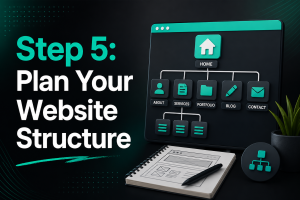
Step 5: Plan Your Website Structure
Every website should have a logical structure.
Typical pages include:
- Home
- About
- Services
- Portfolio
- Blog
- Testimonials
- Pricing
- FAQ
- Contact
A clear navigation menu helps users find information quickly.
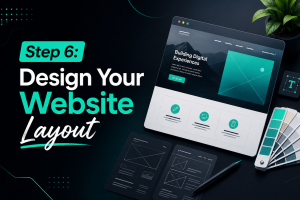
Step 6: Design Your Website Layout
Your website layout should be clean and organized.
Important design principles include:
Use White Space
Avoid clutter.
White space makes content easier to read.
Keep Navigation Simple
Visitors should reach any page within a few clicks.
Use Clear Headings
Organize content using:
- H1
- H2
- H3
- H4
This also improves SEO.
Add Clear Call-to-Action Buttons
Examples include:
- Get a Quote
- Contact Us
- Book a Consultation
- Learn More
- Buy Now
CTA buttons should stand out visually.
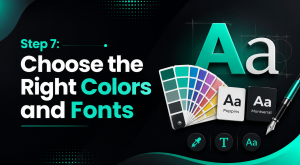
Step 7: Choose the Right Colors and Fonts

Good color choices strengthen your brand.
Use:
- Primary brand color
- Secondary color
- Neutral background
- Accent color
For typography:
- Use easy-to-read fonts
- Limit yourself to 2–3 fonts
- Maintain consistent font sizes
Consistency creates a professional appearance.
Step 8: Use High-Quality Images
Images make your website more engaging.
Use:
- Professional photography
- Custom graphics
- Icons
- Illustrations
- Infographics
Optimize images before uploading to improve loading speed.
Always add descriptive image alt text for SEO and accessibility.
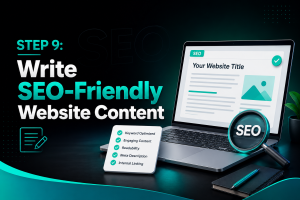
Step 9: Write SEO-Friendly Website Content
Content is one of the biggest ranking factors on Google.
Every page should naturally include relevant keywords.
For example:
- How to design a website
- Website design
- Professional website design
- Website design services
- Small business website
- Business website design
- Responsive website design
- Mobile-friendly website
- SEO website design
- Website designer
- Website development
- Affordable website design
- Modern website design
- Custom website design
Also include:
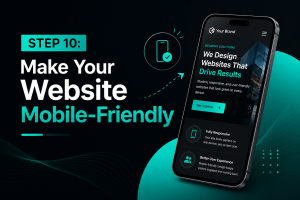
Step 10: Make Your Website Mobile-Friendly
More than half of all web traffic comes from mobile devices.
Your website should:
- Adjust to every screen size
- Load quickly
- Have readable text
- Use clickable buttons
- Avoid horizontal scrolling
Responsive website design is essential for both users and SEO.
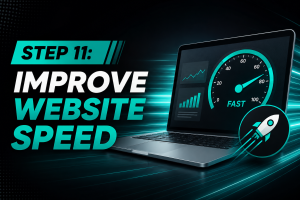
Step 11: Improve Website Speed
A slow website can increase bounce rates and reduce conversions.
Improve speed by:
- Compressing images
- Using browser caching
- Choosing fast hosting
- Minimizing unnecessary plugins
- Using a Content Delivery Network (CDN)
- Optimizing CSS and JavaScript
Fast websites create a better user experience and perform better in search results.
Step 12: Test Everything Before Launching
Before publishing your website, test:
- Navigation
- Contact forms
- Buttons
- Internal links
- Images
- Mobile responsiveness
- Page speed
- Browser compatibility
- SEO settings
- Security certificate (SSL)
Fix any issues before going live.
Essential Website Design Best Practices
To create a high-performing website:
- Keep your design clean and modern.
- Use consistent branding.
- Prioritize readability.
- Optimize every page for SEO.
- Include clear calls to action.
- Add testimonials and reviews.
- Use professional images.
- Improve loading speed.
- Make your website mobile responsive.
- Update your content regularly.
Common Website Design Mistakes to Avoid
Many beginners make these mistakes:
- Cluttered layouts
- Poor navigation
- Slow loading pages
- Tiny fonts
- Low-quality images
- Too many colors
- Missing call-to-action buttons
- Ignoring mobile users
- Not optimizing for SEO
- Publishing without testing
Avoiding these mistakes will help create a more professional website.




)
No comment