
What Is HTML and How It Works
If you’re planning to learn web development or create your own website, one of the first technologies you need to understand is HTML. But what is HTML and how it works?
Click here to get a quote for a premium website
HTML is the foundation of every website on the internet. Whether you’re visiting an online store, reading a blog, or watching videos, HTML is responsible for creating the structure of every webpage you see.
In this beginner-friendly guide, you’ll learn what HTML is, how HTML works, why HTML is important, how browsers read HTML code, the basic structure of an HTML document, and how HTML works with CSS and JavaScript.
What Is HTML?

HTML stands for HyperText Markup Language. It is the standard markup language used to create and structure web pages.
Rather than being a programming language, HTML is a markup language that tells web browsers how to display text, images, videos, links, tables, forms, and other website elements.
Every website, from small personal blogs to large platforms like Amazon, Facebook, and YouTube, uses HTML as its foundation.
Simple Definition
HTML is the language that creates the structure of a webpage.
Think of HTML as the skeleton of a website.
Without HTML, web pages would have no headings, paragraphs, buttons, images, or navigation menus.
What Does HTML Stand For?
HTML stands for:
- HyperText – Text that contains links connecting one webpage to another.
- Markup – Special tags that describe webpage content.
- Language – A standardized system browsers understand.
How HTML Works
Understanding how HTML works is easier than many beginners think.
When you visit a website:
- You enter a website address (URL).
- The browser requests the webpage from a web server.
- The server sends an HTML file.
- The browser reads the HTML code.
- The browser converts the HTML into the webpage you see on your screen.
This process usually takes only a fraction of a second.
follow us on https://www.pinterest.com/Solexwebdigital/
How Browsers Read HTML
Web browsers such as:
- Google Chrome
- Microsoft Edge
- Mozilla Firefox
- Safari
- Opera
read HTML from top to bottom.
Browsers interpret HTML tags and display the webpage accordingly.
For example:
<h1>Welcome to My Website</h1>

<p>This is my first webpage.</p>
The browser displays:
Welcome to My Website
This is my first webpage.
Basic Structure of an HTML Document
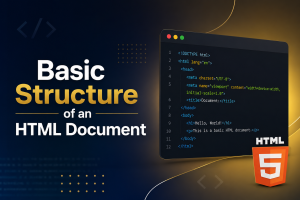
Every HTML page follows a standard structure.
<!DOCTYPE html>

<html>

<head>

<title>My First Website</title>

</head>

<body>

<h1>Hello World!</h1>

<p>This is my first webpage.</p>

</body>

</html>
Let’s break it down.
<!DOCTYPE html>
Tells the browser that this is an HTML5 document.
<html>
The root element containing the entire webpage.
<head>
Contains information about the webpage, including:
- Title
- Meta description
- Character encoding
- CSS links
- Scripts
<title>
Displays the page title in the browser tab.
<body>
Contains all visible webpage content.
What Are HTML Tags?
HTML uses tags to organize content.
Tags usually come in pairs:
<p>This is a paragraph.</p>Opening tag:
<p>Closing tag:
</p>The browser understands what each tag means.
Common HTML Tags
Some of the most commonly used HTML tags include:
| HTML Tag | Purpose |
|---|---|
<h1> | Main heading |
<h2> | Subheading |
<p> | Paragraph |
<a> | Hyperlink |
<img> | Image |
<ul> | Unordered list |
<ol> | Ordered list |
<li> | List item |
<div> | Section container |
<span> | Inline element |
<table> | Table |
<form> | Form |
<input> | Input field |
<button> | Button |
<video> | Video |
<audio> | Audio |
What Is HTML Used For?
HTML is used for creating nearly every type of webpage, including:
- Business websites
- Blogs
- E-commerce websites
- Landing pages
- Portfolio websites
- School websites
- News websites
- Government websites
- Web applications
- Documentation websites
Without HTML, websites simply wouldn’t exist.
How HTML Works with CSS
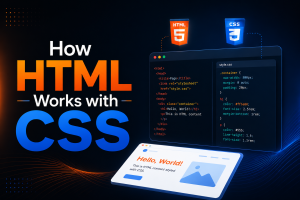
HTML creates the webpage structure.
CSS (Cascading Style Sheets) controls the appearance.
For example:
HTML creates:
- Heading
- Paragraph
- Button
CSS changes:
- Colors
- Fonts
- Layout
- Background
- Spacing
- Animations
Think of it this way:
- HTML = Structure
- CSS = Design
How HTML Works with JavaScript
JavaScript adds functionality and interactivity.
HTML creates:
- Button
JavaScript makes the button:
- Clickable
- Interactive
- Dynamic
Examples include:
- Image sliders
- Dropdown menus
- Form validation
- Search boxes
- Shopping carts
- Pop-up windows
- Interactive maps
Together:
- HTML builds the page.
- CSS styles the page.
- JavaScript makes the page interactive.
Is HTML a Programming Language?
No.
HTML is not a programming language.
It cannot:
- Perform calculations
- Make decisions
- Store variables
- Create loops
Instead, HTML simply structures webpage content.
Programming languages include:
- JavaScript
- Python
- PHP
- Java
- C#
Why HTML Is Important
HTML is essential because it:
- Creates webpage structure
- Helps search engines understand content
- Supports accessibility
- Improves SEO
- Works on every modern browser
- Forms the foundation of every website
Without HTML, web development wouldn’t be possible.
Benefits of Learning HTML
Learning HTML offers many advantages:
Easy to Learn
HTML is one of the easiest web technologies for beginners.
Required for Web Development
Every web developer starts with HTML.
Helps Improve SEO
Proper HTML structure helps search engines understand webpage content.
Works with Every Website
Whether using:
- WordPress
- Shopify
- Wix
- Squarespace
- Custom websites
HTML is always involved.
Opens Career Opportunities
HTML is an essential skill for:
- Front-end developers
- Full-stack developers
- Web designers
- SEO specialists
- WordPress developers
- UI developers
HTML Versions
The latest version is:
HTML5
HTML5 introduced many new features, including:
- Video support
- Audio support
- Semantic elements
- Better forms
- Canvas graphics
- Local storage
- Responsive web features
Most modern websites now use HTML5.
Semantic HTML Explained
Semantic HTML uses meaningful tags that describe the purpose of content.
Examples include:
<header>

<nav>

<main>

<section>

<article>

<footer>
Benefits include:
- Better SEO
- Improved accessibility
- Cleaner code
- Easier maintenance
Search engines prefer semantic HTML because it helps them better understand webpage structure.
How HTML Helps SEO
HTML plays a major role in search engine optimization.
Proper HTML allows search engines to identify:
- Page titles
- Meta descriptions
- Headings
- Images
- Links
- Content hierarchy
Best practices include:
- Using one
<h1>per page - Organizing content with
<h2>and<h3>headings - Adding descriptive image alt text
- Creating meaningful page titles
- Using semantic HTML elements
- Writing clean, valid HTML code
These practices improve crawlability and user experience.


)
No comment