
If you’ve ever wondered what a website is, how websites work, or why every business needs a website, you’re in the right place.
Whether you’re a business owner, freelancer, student, or someone looking to build an online presence, understanding how websites work is the first step toward succeeding online.
In this comprehensive guide, you’ll learn:
- What a website is
- How websites work
- The main parts of a website
- Types of websites
- How websites are built
- Why websites are important
- Frequently asked questions
What Is a Website? (Knowing what is a website and how it works)
A website is a collection of web pages that are connected together and stored on a web server. People access websites through the internet using a web browser like Google Chrome, Safari, Firefox, or Microsoft Edge.
Every website has a unique address known as a domain name, such as:
A website can contain text, images, videos, forms, products, blogs, contact information, and many other interactive features.
Simply put,
A website is your digital home on the internet where people can learn about your business, services, products, or personal brand 24/7.
How Does a Website Work? (Knowing what is a website and how it works)
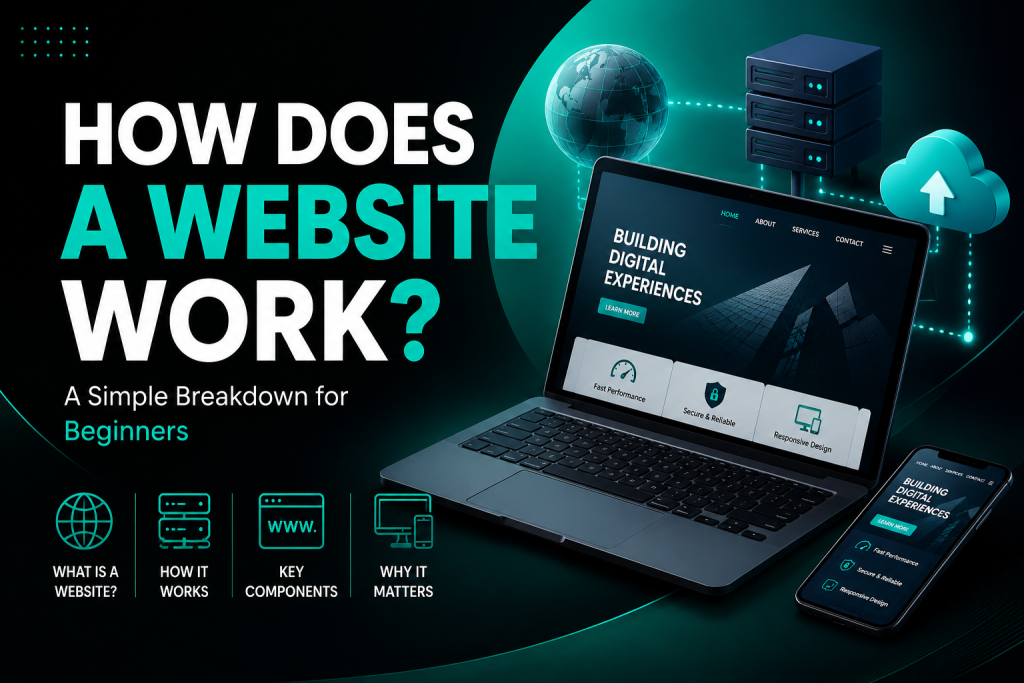
Understanding how a website works is easier than most people think.
Here’s the process:
Step 1: A User Types Your Website Address
Someone enters your domain name into their browser.
Example:
or clicks your website from Google search results.
If you’ve ever wondered what a website is, how websites work, or why every business needs a website, you’re in the right place.
Step 2: DNS Finds Your Website
The Domain Name System (DNS) acts like the internet’s phonebook.
It translates your website name into an IP address so browsers know where your website is stored.
Step 3: The Browser Contacts Your Web Hosting Server
Your website files are stored on a web hosting server.
The browser sends a request asking for those files.
Step 4: The Server Responds
The hosting server sends:
- HTML files
- CSS files
- JavaScript
- Images
- Videos
- Fonts
back to the visitor’s browser.
Step 5: The Browser Displays the Website
The browser combines all these files together to display the webpage exactly as designed.
This process usually happens in less than two seconds.
If you’ve ever wondered what a website is and how it works, or why every business needs a website, you’re in the right place.
What Are the Main Parts of a Website? (Knowing what is a website and how it works)
Every website consists of several important components.
1. Domain Name
Your website address.
2. Web Hosting
Web hosting stores your website files online so visitors can access them anytime.
3. Website Files
These include:
- HTML
- CSS
- JavaScript
- Images
- Videos
- Databases
4. Database
Many websites use databases to store:
- User accounts
- Blog posts
- Products
- Orders
- Comments
Popular databases include MySQL and PostgreSQL.
5. Content Management System (CMS)
A CMS allows you to edit your website without coding.
Popular CMS platforms include:
- WordPress
- Shopify
- Wix
- Squarespace
- Joomla
Types of Websites
There are many different kinds of websites.
Business Website
Used to showcase services and generate leads.
Examples include:
- Construction companies
- Law firms
- Marketing agencies
- Restaurants
E-commerce Website
Allows customers to buy products online.
Examples:
- Amazon
- Shopify stores
- WooCommerce websites
Portfolio Website
Perfect for:
- Designers
- Developers
- Photographers
- Architects
Blog Website
Used to publish articles, tutorials, and educational content.
Blogs help increase Google rankings through SEO.
Educational Website
Provides courses and learning materials.
Membership Website
Offers exclusive content for registered members.
News Website
Publishes news and current events.
How Are Websites Built?
Websites can be built in different ways.
Using HTML, CSS and JavaScript
Professional developers write code to create custom websites.
These technologies control:
- Structure
- Design
- Interactivity
Using WordPress
WordPress powers over 40% of websites worldwide.
It allows users to build websites without coding using themes and plugins.
Using Website Builders
Platforms like Wix, Squarespace, and Shopify offer drag-and-drop website builders.
Why Is Having a Website Important (Knowing what is a website and how it works)?
A professional website offers many benefits.
Builds Credibility
Knowing what is a website and how it works helps Customers trust businesses with professional websites.
Available 24/7
Unlike physical stores, websites never close.
Generates Leads
Your website can collect:
- Contact forms
- Phone calls
- Emails
- Appointment bookings
Improves Google Visibility
SEO helps your website appear when customers search online.
Increases Sales; Knowing what is a website and how it works increase sales
A well-designed website converts visitors into paying customers.
Supports Digital Marketing
Your website becomes the center of all your online marketing efforts.
How Does Google Find Websites?
Knowing what is a website and how it works helps Google uses automated programs called Googlebots to discover and index websites.
The process includes:
- Crawling
- Indexing
- Ranking
SEO helps Google understand your content so it can rank your pages higher.
What Makes a Good Website?
A great website should have:
- Fast loading speed
- Mobile-friendly design
- Clear navigation
- Secure HTTPS connection
- High-quality content
- SEO optimization
- Strong call-to-action buttons
- Contact information
- Professional branding
How Long Does It Take to Build a Website?
The timeline depends on the project.
Typical estimates:
- Landing page: 1–3 days
- Small business website: 1–2 weeks
- Corporate website: 2–6 weeks
- E-commerce website: 3–8 weeks
- Custom web application: Several months
Visit our service page to see what package best fits your business


)
No comment